> For the complete documentation index, see [llms.txt](https://docs.meeds.io/meeds-guides/llms.txt). Markdown versions of documentation pages are available by appending `.md` to page URLs; this page is available as [Markdown](https://docs.meeds.io/meeds-guides/user-guide/collaborating-in-spaces/praising-others-with-kudos.md).
# Praising others with Kudos
Meeds promotes mutual recognition and encouragement through **Kudos**, public messages within the community that show appreciation for others.
Using Kudos is simple and has a lot of benefits :
👉 You support taking initiatives: *The more you are thanked for your actions, the more you are likely to take on.*
👉 You value everyone's experiences and skills: *You give them more visibility by highlighting your colleagues.*
### :thinking: Sending a Kudos to a user
Send Kudos to people you want to encourage, thank, or congratulate.
* From a user's profile, send a Kudos and choose where this message will be published.
* Whether by commenting on the message or a comment from the person you want to congratulate.
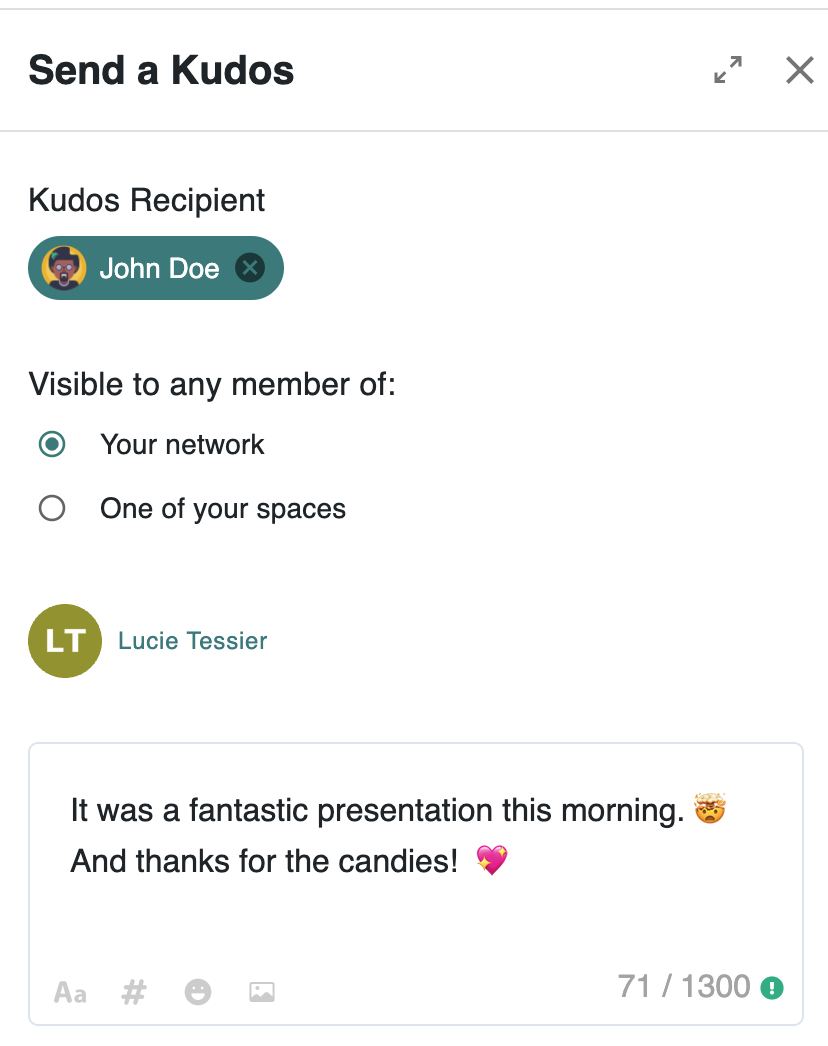
* When composing a message, choose to send a kudos, indicate the recipient, and select the audience.
### :bulb: Sending a Kudos to a space
You can also send a Kudos to a space to cheer a whole team up.
* When sending Kudos to a space, the message's target audience is the space itself and cannot be changed. This means that the Kudos will be posted on the space's feed.
* You cannot send a kudos comment to a whole space. It has to be a kudos post.
* In editorial mode, only content writers can post Kudos to the space.
* Only the sending of Kudos to a space can be gamified.
:question: **How many Kudos can I send?**
Kudos are valuable because their numbers are limited. By default, you can send 5 per week (whether for a user or a space). Your Hub admins may allocate more and change the frequency (week, month, quarter, year).
### 📽️ Quick Video Tour
{% embed url="" %}